Getting your work out there!

.png)
Traditional Formats
There are all single files.
Share them as you would any other file (e.g., email, Google Drive, Box).
HTML Output
If your rendered HTML output is a single HTML file (embed-resources: true), you can share it like any other file.
You may want to publish it on a server if:
- the output file(s) are large
- the output is multiple HTML files
- you want to make it really easy to access
- you want it to be discoverable
Publishing HTML: Easy Options
Look for this button in RStudio:

↓ ↓ ↓
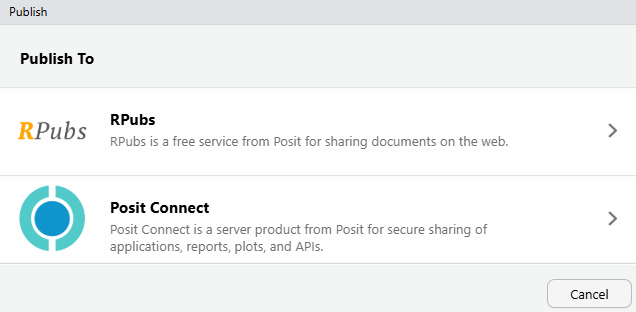
example: https://rpubs.com/ajlyons/ucanr-ac-map
RPubs is free, but everything is completely public!
GitHub
GitHub is a popular platform for collaborative work.
- it includes “GitHub Pages” for publishing lightweight content.
- often a link in other publishing service
Typical workflow:
- Create a “repository” (aka repo) on GitHub.com
- Work locally in projects (qmd or notebooks)
- Commit and push (i.e., publish) qmd files and/or rendered html outputs to the repo
Publishing Workflows
flowchart TD
  A["Write content in Quarto<br/>(locally)"] --> B("Use Markdown, R, Python")
  B --> C("Render to HTML")
  C --> D("Preview in browser")
  B --> E("Publish Rendered Content<br/>GitHub Pages, AWS S3, Netlify")
  E --> F["Share with audience!"]
  B --> G("Push qmd files<br/>to GitHub")
  G --> H("Online service renders<br/>content: GitHub Actions,<br/>Quarto-Pub")
  H --> I["Share with audience!"]

  classDef blueBox fill:#b9e2ff,stroke:#467991,stroke-width:2px
  classDef orangeBox fill:#f9c74f,stroke:#f9844a,stroke-width:2px
  class A blueBox
  class F,I orangeBox
For Private Eyes Only
If you want to publish content but make it available to specific people only, you need a web service that supports authentication / user accounts.
GitHub Enterprise accounts allows you to limit access to GH pages on a private to GitHub who have access permissions (example)
Organizational web servers
Other paid services like Netlify, AWS Amplify, Posit Connect, etc.