Data Wrangling with R Part II

October 17, 2025
Andy Lyons

https://ucanr-igis.github.io/DataWranglingR/

Start Recording


Workshop Goals

  1. Gain a better understanding of the fundamentals of data wrangling
  2. Be able to find the packages and functions that can do what you need
  3. Grow your library of working code recipes
  4. Be better equipped to trouble-shoot your code
  5. Come out slightly higher on the learning curve!


Review of Part I

Tidy Data

Smarter ways to import data

  • readr
  • readxl
  • googlesheets4
  • haven
  • select which columns to import
  • rename columns
  • define column types
  • how to interpret missing values
  • skip rows

Row manipulations: dplyr

Column manipulations: dplyr

Useful functions to use inside mutate()

Text manipulations: stringr

Split columns

Join tables based on matching column(s): dplyr

Group rows: dplyr

Part 1 Exercises


ChatGPT


Why do I have to learn this?

Can’t ChatGPT take care of it for me?

Maybe

Let's explore that, shall we...


What Are Your Goals for Using GenAI?


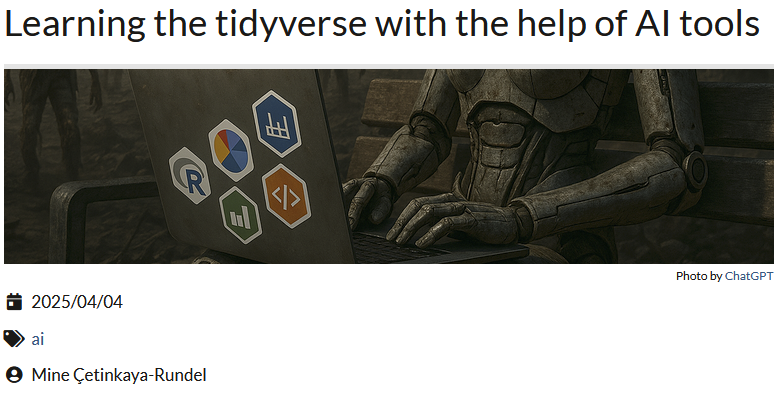
Learning R with GenAI

https://www.tidyverse.org/blog/2025/04/learn-tidyverse-ai/

Highlights


“Use code completion tools sparingly if you’re a new user.”

Suggestions for Using GenAI to Learn R


What are your best practices for using GenAI tools?

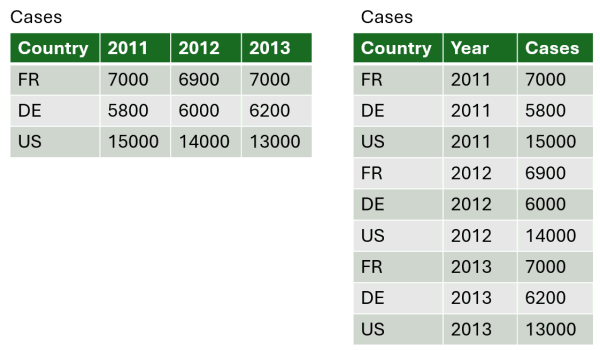
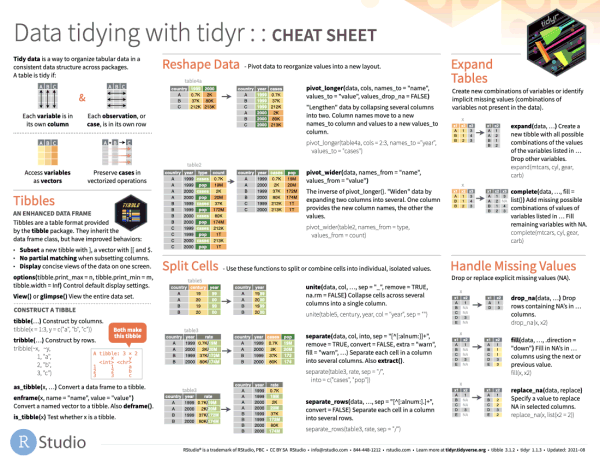
Reshaping Data


Which direction?

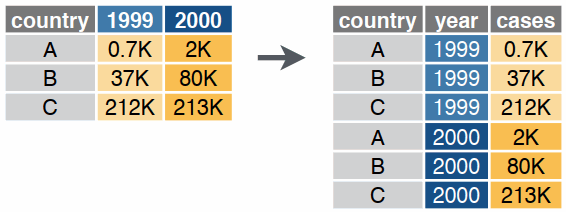
Option 1. Turn columns into rows (wide-to-long)

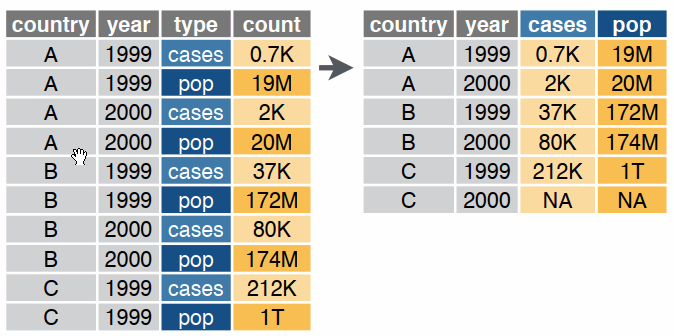
Option 2. Turning rows into columns (long-to-wide, aka pivot tables, cross tab query)
pivot_longer()
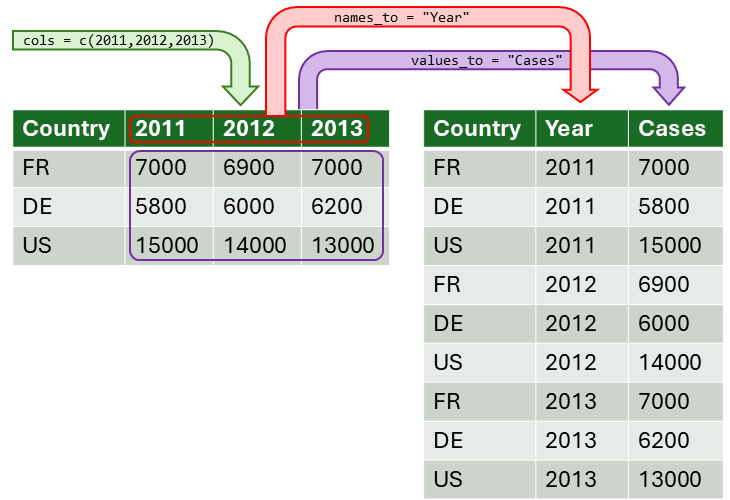
cases_long_tbl <- cases_tbl |> 
  pivot_longer(
    cols = c(`2011`, `2012`, `2013`),
    names_to = "Year",
    values_to = "Cases"
  )

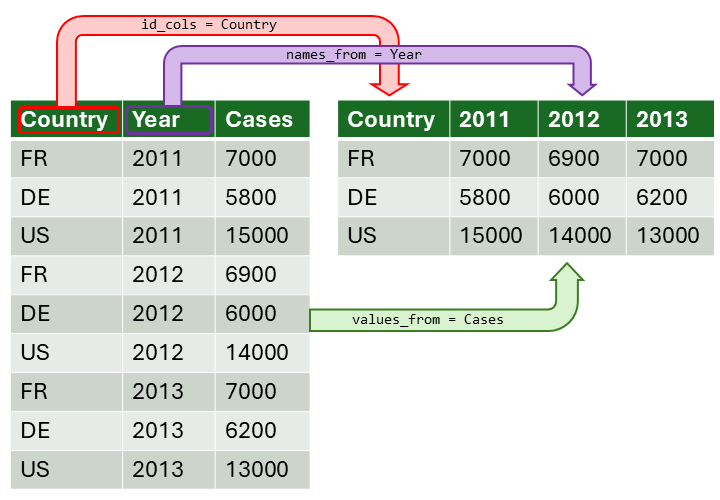
pivot_wider()

case_wide_tbl <- cases_long_tbl |> 
  pivot_wider(
    id_cols = Country, 
    names_from = Year, 
    values_from = Cases)


More Complex Pivots

For more info and examples, see the Pivoting Vignette in the tidyr package.


Dealing with Missing Data

Question 1: Do I have missing values?

How are missing values encoded?

-99
""
NA

Question 2: How many missing values do I have?

summary()

is.na(), !is.na()


Step 2: How do you want to handle missing data?

Option 1: Keep the observations but ignore missing values in column summaries

mean(x, na.rm = TRUE)


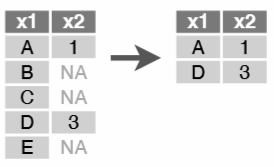
Option 2: Throw away the entire observation

tidyr::drop_na()


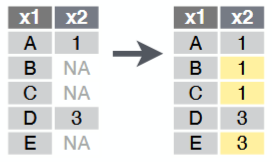
Option 3: Fill up / down

tidyr::fill()


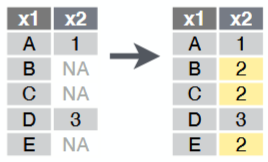
Option 4: Replace missing values with a constant

common replacement choices: 0, mean, median, etc.

mutate( new_col = if_else(…) )

tidyr::replace_na()


Option 5: Replace missing values with another column

mutate( new_col = if_else(…) )

mutate( new_col = coalesce(…) )


Option 6: Impute from values in other rows

  • repeat last value
  • linear interpolate
  • spline interpolate
  • etc.
See imputeTS or zoo packages.


Exercise 3

Warm up:

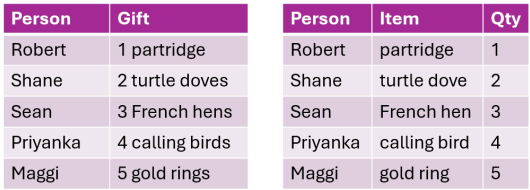
  • resample a character column using values from a related table
  • divide data into training and validation

New stuff:

  • Reshape the data (wide to long)
  • Visualize and summarize all the quizzes
  • Compute student averages
  • Work with NAs

This exercise will be done in an Quarto Notebook!
https://posit.cloud/content/11191104

Break!

Next-Up

Mutating within Groups

Splitting Tables

Splitting Variable Width Columns

Working with Dates


Exercise 4

Data wrangling operations:

This exercise will be done in an Quarto Notebook!

https://posit.cloud/content/11191104